
Test environment — fictional data only
Skip to main content

For njangis, alumni unions, village associations and church groups

Run your group with less chasing and more trust.

VillageClaq keeps your members, contributions, hosting, minutes and rules in one organized place — so officers spend less time chasing records, and members can see where things stand.

Already a member? Sign inInvited to a group? Here’s how to join

Test environment — please use fictional names, contacts and amounts.

Members of a fictional hometown association in VillageClaq, each card showing role, good standing and account status
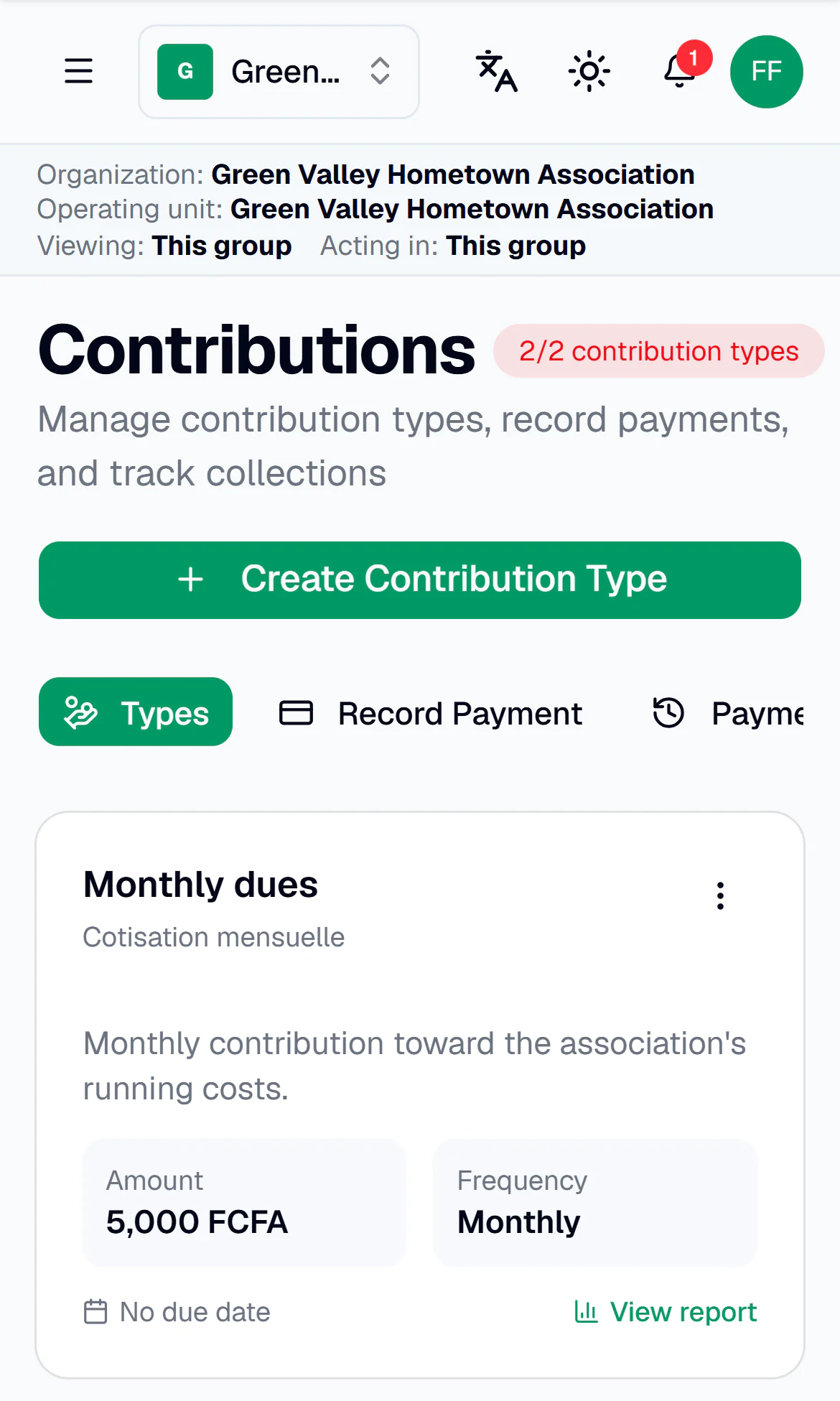
VillageClaq on a phone: monthly dues of 5,000 FCFA set up for a fictional group
Real VillageClaq screens, shown with a fictional group’s data.

Built for groups that meet, save and decide together

  • Njangis and tontines
  • Alumni unions
  • Village and hometown associations
  • Church groups
  • Professional associations
  • Family and social groups

For every role

Useful to everyone who keeps the group running.

  • Presidents and officers

    • See members, money and upcoming work at a glance.
    • Give each position the permissions it needs.
    • Keep the constitution and bylaws on file for everyone.
  • Secretaries

    • Add members one by one or import a CSV or Excel list.
    • Take attendance and plan the hosting rotation.
    • Draft the minutes, share them for review, then publish.
  • Treasurers

    • Set up dues and levies, then record payments as they arrive.
    • See who has paid and who is behind.
    • Share a read-only summary of posted totals with members.
  • Members

    • Check your own payments and what is still due.
    • See upcoming meetings and your hosting turn.
    • Use one account for every group you belong to.

Inside VillageClaq

Everything your officers juggle, in one organized place.

Four everyday jobs, shown with real screens from the app.

Members

Bring everyone in — with or without a smartphone.

Add members yourself or import your existing list. People without an account are still full members, with their contact details on record, and can activate an account later from an invitation.

  • CSV and Excel (.xlsx) import, checked row by row
  • Duplicate rows are skipped, never added twice
  • Nothing is sent to members when you import
Bulk import preview in VillageClaq: 13 rows from a fictional member list, checked and ready to import

Contributions

Know who has paid — without the notebook.

Set up dues, levies and other contributions, record each payment when it is received, and follow every member’s balance. Each payment is recorded once, with a clear history.

  • Amounts, frequencies and due dates for each contribution
  • Payment history and member statements
  • A dues grid and unpaid list, so nothing slips
Contribution types in VillageClaq for a fictional group, including monthly dues of 5,000 FCFA

Meetings

Organized meetings, and decisions you can find later.

Rotate hosting fairly, take attendance and keep every set of minutes. Secretaries draft, share for review and publish — and officers decide when members can read them.

  • Hosting rosters with upcoming turns and past meetings
  • Attendance for every meeting
  • Minutes with drafts, publication and revision history
Hosting roster in VillageClaq showing the next host, no missed turns, fairness and compliance for a fictional group
Meeting minutes published in VillageClaq for a fictional group

Governance

Clear roles, written rules and open books.

Give each position the right permissions, keep the constitution where members can read and acknowledge it, and share a read-only summary of posted totals — without exposing other members’ details.

  • Positions and permissions for each officer
  • Constitution and bylaws with versions and acknowledgments
  • Officer elections on Pro and Enterprise plans
Roles and permissions in VillageClaq: six officer positions for a fictional group

Also included

  • Events and check-in

    RSVPs and QR check-in for meetings and events.

  • Announcements

    Share updates with the whole group in the app.

  • Documents

    Keep the group’s important files in one place.

  • Reports

    Financial and membership reports you can export to PDF.

  • Membership cards

    Digital cards members can download, with a verification link you can revoke.

  • Many groups, one login

    Switch between groups; each membership keeps its own role and records.

  • English and French

    Switch languages at any time.

  • Grow on your terms

    Introduce VillageClaq to another group or publish an optional public page. Groups stay private by default.

  • More on paid plans

    Relief (mutual-aid) plans, savings circles, fines, loans and elections.

Getting started

Three ways in. Choose the one that fits you.

  1. Start a new group

    For presidents, secretaries and organizers

    1. Create your account with an email and password.
    2. Set up your group: location, type and details.
    3. Add members by hand, import a list or share a join code.
    Create your group
  2. Join your group

    For members invited by their officers

    1. Get an invitation link or a join code from your group’s officers.
    2. Create an account, or sign in if you already have one.
    3. Accept the invitation or enter the code. Some groups approve new members first.
    I have an invitation

    Have a join code?

  3. Already have an account?

    For members and officers of any group

    • Sign in once to reach all your groups.
    • Switch between groups from the group menu.
    • Your role and records stay separate in each group.
    Sign in

In this test environment, VillageClaq does not send email, SMS or WhatsApp messages. Officers can copy an invitation link or share the join code directly.

Pricing

Start free. Upgrade as your group grows.

Plans are per group, and every new group starts on Free — no card needed.

Paid plans are not on sale yet. Online checkout isn’t available, so the prices below are for planning.

Billing period
  • Available now

    Free

    For small groups getting started

    $0.00 / month

    0 FCFA / month

    Up to 15 members

    • The essentials: members, contributions, events, hosting and minutes
    • 2 contribution types
    • 2 core reports
  • Not on sale yet

    Starter

    For growing associations

    $5.00 / month

    2,500 FCFA / month

    Up to 50 members

    • 5 contribution types
    • 10 reports
    • Relief plans (up to 2), 1 savings circle and fines
    • Committees
  • Not on sale yet

    Pro

    For established groups

    $15.00 / month

    7,500 FCFA / month

    Up to 200 members

    • Everything in Starter
    • Unlimited contribution types and relief plans
    • All reports, with AI summaries
    • Officer elections and loans
  • Not on sale yet

    Enterprise

    For federations and large organizations

    $40.00 / month

    20,000 FCFA / month

    Unlimited members

    • Everything in Pro
    • For groups with more than 200 members

Compare plans

Feature
Free
Starter
Pro
Enterprise
Members per group
15
50
200
Unlimited
Contribution types
2
5
Unlimited
Unlimited
Reports
2 core
10
All
All
Fines
Not included
Included
Included
Included
Savings circles
Not included
Up to 1
Unlimited
Unlimited
Relief (mutual-aid) plans
Not included
Up to 2
Unlimited
Unlimited
Committees
Not included
Included
Included
Included
Loans
Not included
Not included
Included
Included
Officer elections
Not included
Not included
Included
Included
AI report summaries
Not included
Not included
Included
Included

Included on every plan

  • Member records and CSV/Excel import
  • Members without an account
  • Invitations and join codes
  • Contribution and payment records
  • Events, attendance and hosting
  • Meeting minutes
  • Constitution and documents
  • Announcements
  • Member financial summary
  • Membership cards
  • English and French

Prices are per group. FCFA prices apply to groups that use XAF or XOF.

The table shows the main limits from VillageClaq’s plan settings. Paid-plan access is still being verified before sale.

FAQ

Common questions

Straight answers about how VillageClaq works today.

Still have a question? Contact us

What’s the difference between creating a group and joining one?

Create a group if you are bringing VillageClaq to your association: you set it up and become its first admin. Join a group if its officers invited you — use their invitation link or join code. If you already have an account, just sign in: all your groups are there.

Do all our members need a smartphone or an account?

No. Officers can add members who don’t use the app and keep their contact details on record. Those members stay part of the group and can activate an account later from an invitation.

Can we bring in our existing member list?

Yes. Download the template, then import a CSV or Excel (.xlsx) file. VillageClaq checks each row, skips duplicates and shows what was imported. Importing never sends messages to members.

Can I belong to more than one group?

Yes. One account can belong to several groups, and each membership keeps its own role and records. Switch between groups from the group menu.

Who can see our group’s money?

Officers with the right permissions manage the records. Members see their own payments and, when your admins allow it, a read-only summary of the group’s posted totals — never other members’ private details.

Does VillageClaq collect or hold our money?

No. VillageClaq is where your group records the contributions and payments it receives through its usual channels. It doesn’t process payments or hold funds.

Is VillageClaq available in French?

Yes. VillageClaq works in English and French, and you can switch languages at any time.

Which currencies can a group use?

You choose your group’s currency during setup, including FCFA (XAF and XOF), naira, cedi, shillings, rand, US dollars, euros and pounds sterling.

How much does it cost?

Groups of up to 15 members can use the Free plan. Starter, Pro and Enterprise prices are listed above; paid plans aren’t on sale yet.

Is this the live service?

Not yet. This site is a test environment. Please use fictional names, phone numbers and amounts — test data may not be kept.

Bring your group’s records into one place.

VillageClaq is in a test phase. Create a test group with fictional details to explore it, or sign in with the account you were given.

Questions? Contact us